
Vipsta currently does not offer a native Android or iOS app. Instead, the platform is accessed entirely through a mobile browser, which provides the same functionality as the desktop version: the full casino with more than 13,600 games, the live casino, sportsbook, EUR cashier, all promotions, and the VIP programme. The website automatically adapts to the screen size and can be opened like an app using the “Add to Home Screen” feature, with no download or installation required.
This page explains why a separate app is not necessary, how mobile access works, and how to create a home-screen shortcut. The table below summarises the main features of the mobile experience.
| Feature | Mobile Use |
|---|---|
| Download required | No – runs entirely in the browser |
| iOS access | Safari, Chrome, or Firefox |
| Android access | Chrome, Firefox, or another up-to-date browser |
| Home-screen shortcut | Available on iOS and Android |
| Game catalogue | More than 13,600 titles – identical to desktop |
| EUR payments | Full cashier available on mobile |
| Bonuses and promotions | Welcome package, reloads, shop, and tournaments available |
| Live casino and sports | Fully available on mobile |
| Security | Encrypted data transmission, as on desktop |
| Updates | Automatic – no manual updates required |
Is There a Vipsta App for Android and iOS?
There is currently no dedicated app to download from the App Store or Google Play. Instead, Vipsta uses a browser-based solution that works on modern devices. The advantage is that it requires no storage space or manual updates, and the mobile version always stays aligned with the desktop website.
How to Access Vipsta Through a Mobile Browser
To use Vipsta on mobile, all you need is an up-to-date browser. The process is straightforward and takes only a few steps.
- Open the browser on your smartphone or tablet.
- Enter vipsta.com in the address bar.
- If you already have an account, select “Log In”; otherwise, choose “Register” to create one.
- Open Casino, Live Casino, Sports, or the Cashier from the menu.
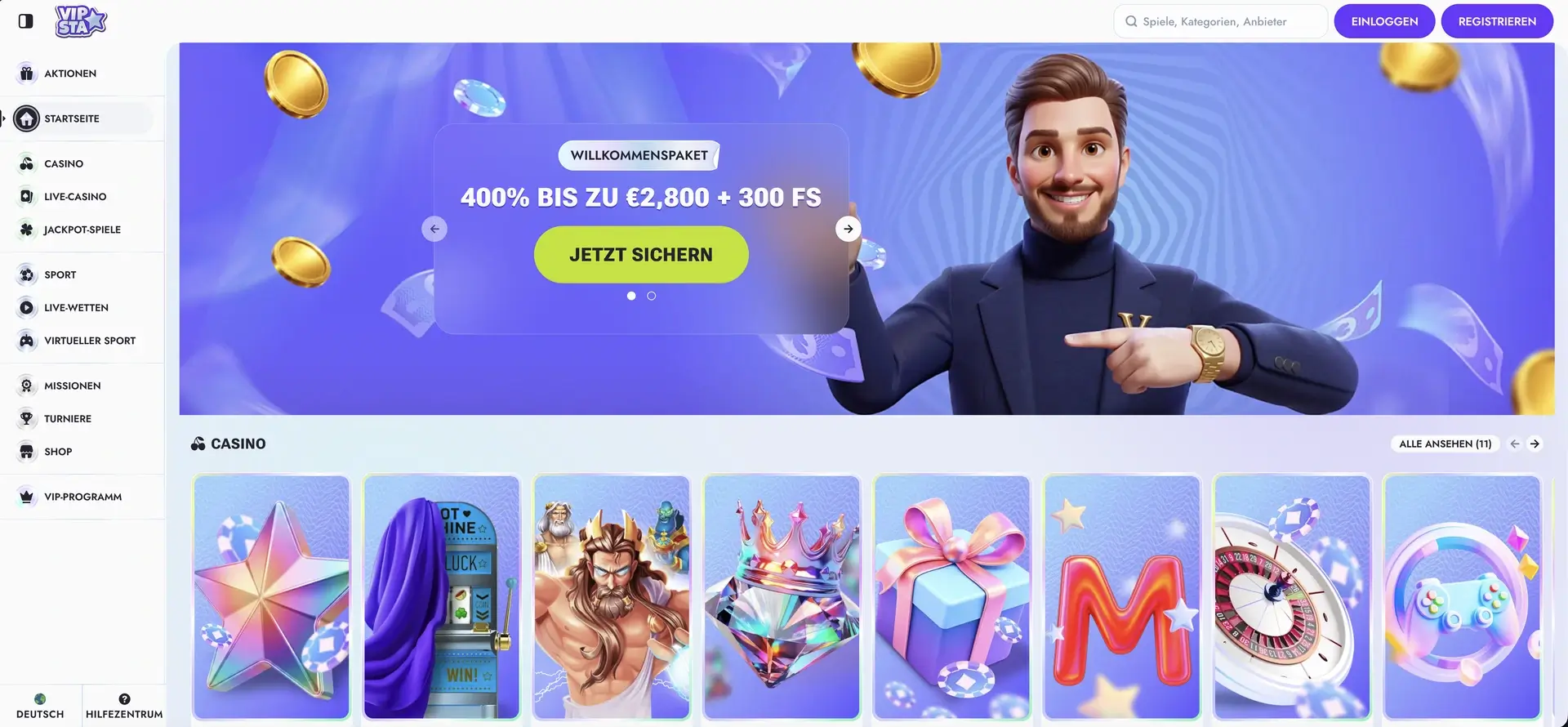
The “Vipsta homepage and casino lobby” view illustrates the features described above.
Add Vipsta to Your Home Screen
If you use Vipsta regularly, you can create a shortcut on your device’s home screen. It opens the platform directly and provides a similar level of convenience to an app. The setup differs depending on the operating system.
Instructions for iOS (Safari)
On iPhone and iPad, the shortcut is created through Safari’s Share menu.
- Open vipsta.com in Safari.
- Tap the Share icon at the bottom of the screen.
- Select Add to Home Screen.
- Confirm the name and tap Add.
Instructions for Android (Chrome)
On Android devices, the shortcut is created through the Chrome menu.
- Open vipsta.com in Chrome.
- Tap the three-dot menu icon in the top-right corner.
- Select Add to Home Screen.
- Confirm the name and create the shortcut.
Features Available on Mobile
The mobile version includes the platform’s full functionality. There is no reduced selection compared with desktop.
- Casino: more than 11,000 slots, over 280 table games, and jackpot titles.
- Live Casino: streamed roulette, blackjack, and baccarat tables with live dealers.
- Sports: pre-match, live, and virtual betting across numerous sports.
- Cashier: EUR deposits and withdrawals by card, Revolut, Mifinity, and cryptocurrencies.
- Promotions: welcome package, reloads, cashback, missions, tournaments, and the shop.
- Account: login, verification, VIP status, and settings.
Mobile Performance
The mobile website is designed for fast loading and smooth navigation. The layout automatically adapts to smaller screens so menus, game lists, and the cashier remain easy to use without awkward zooming. Live streams and games run directly in the browser, with no additional software required.
Mobile Payments in EUR
The full cashier is also available on mobile. Deposits start at €10, while withdrawals also start at €10, or €20 for cryptocurrencies. Available methods include credit cards, Revolut, Mifinity, EPS, bank transfer, Skrill for withdrawals, and numerous cryptocurrencies. Processing rules and limits are the same as on the desktop version.
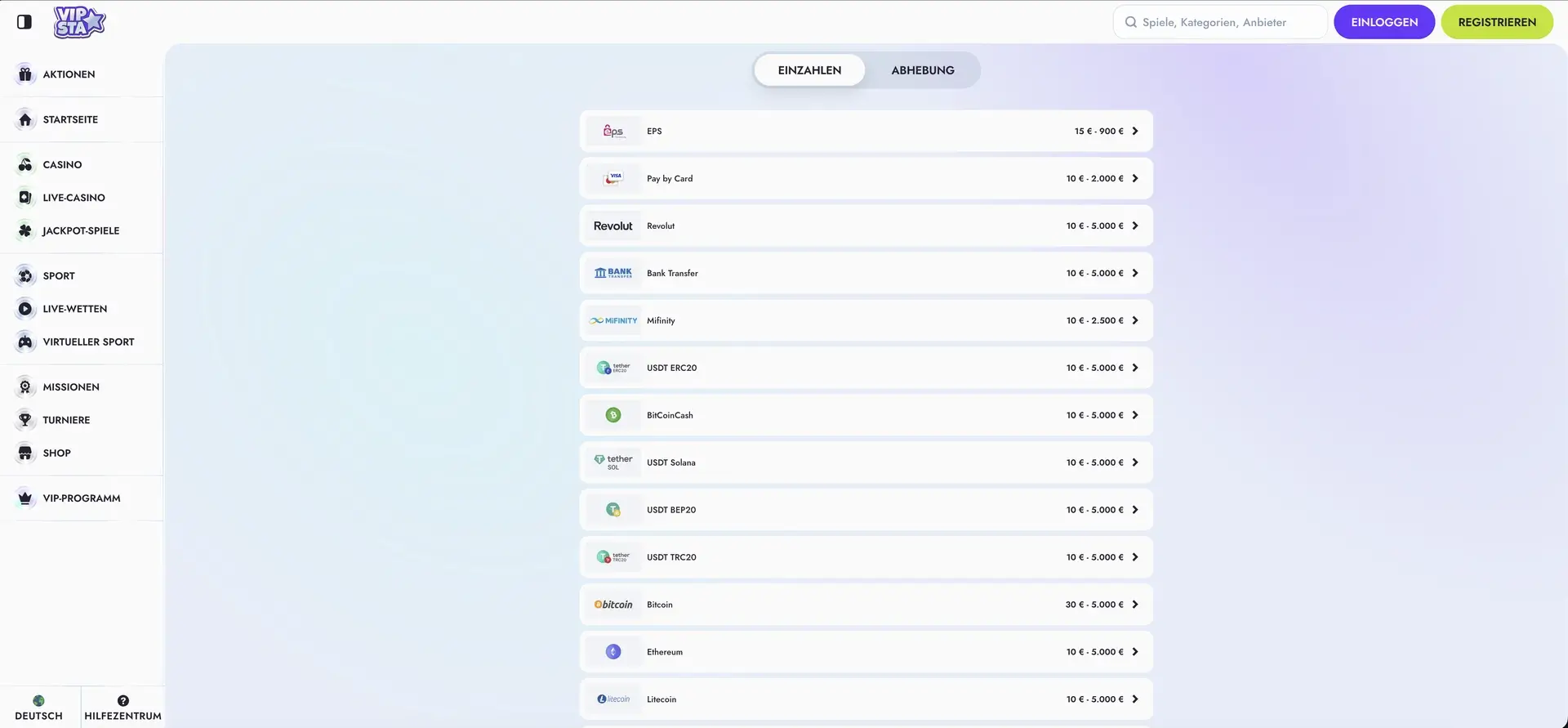
The “Deposit methods at Vipsta” view illustrates the features described above.
Security on Mobile
The same protection measures apply on mobile as on desktop. Data transmission is encrypted, account access is protected by personal login credentials, and account verification may be required before withdrawals. An 18+ policy applies, and responsible gambling tools are also accessible on mobile.
Frequently Asked Questions About the Vipsta App
The answers below cover the most common questions about using Vipsta on mobile.
Is there a Vipsta app to download?
No. Vipsta does not offer a native app. The platform is accessed entirely through a mobile browser with the same functionality as on desktop.
How can I use Vipsta like an app?
Use the “Add to Home Screen” feature in Safari or Chrome to create a shortcut that opens Vipsta directly – similar to an app, but without installation.
Do all games work on mobile?
Yes. Slots, table games, jackpots, the live casino, and the sportsbook are fully available on mobile. The catalogue is the same as on desktop.
Can I deposit and withdraw on mobile?
Yes. The full cashier is available on mobile. Deposits from €10 and withdrawals from €10 (€20 for cryptocurrencies) can be handled through all supported methods.
Is the mobile version secure?
Yes. The same security measures apply as on desktop, including encrypted data transmission, protected login, and possible account verification before withdrawals.