
Logging in to Vipsta (also referred to as the Vipsta sign-in) is done directly on vipsta.com via the Log In button in the top-right corner and requires only the email address used during registration and the corresponding password. Access works without any download on both desktop and mobile browsers. If you forget your password, you can reset it using the “Forgot your password?” link. Once logged in, you can access the casino, sportsbook, deposits and withdrawals, bonuses, the VIP programme, and account settings.
This page explains the login process in detail, shows how to reset your password, and covers the most common access issues as well as account verification. The table below summarises the key account-access details.
| Feature | Details |
|---|---|
| Login via | vipsta.com, “Log In” button |
| Login details | Email address and password |
| Password reset | Via the “Forgot your password?” link |
| Devices | Desktop and mobile devices (browser) |
| Verification | KYC checks may be required, at the latest before withdrawals |
| Currency | Euro (EUR) |
| Customer support | 24/7 live chat and email ([email protected]) |
How to Log In to Vipsta
Logging in to Vipsta takes only a few steps and is handled through a window that opens directly on the homepage. The main requirement is that the email address and password match the details entered when the account was created.
- Open vipsta.com in your browser.
- Click Log In in the top-right corner.
- Enter your registered email address.
- Enter your password; use the eye icon to check the characters if needed.
- Click Log In and wait for your account to load.
If you do not yet have an account, the “Don’t have an account? Sign up now” prompt takes you directly to registration.
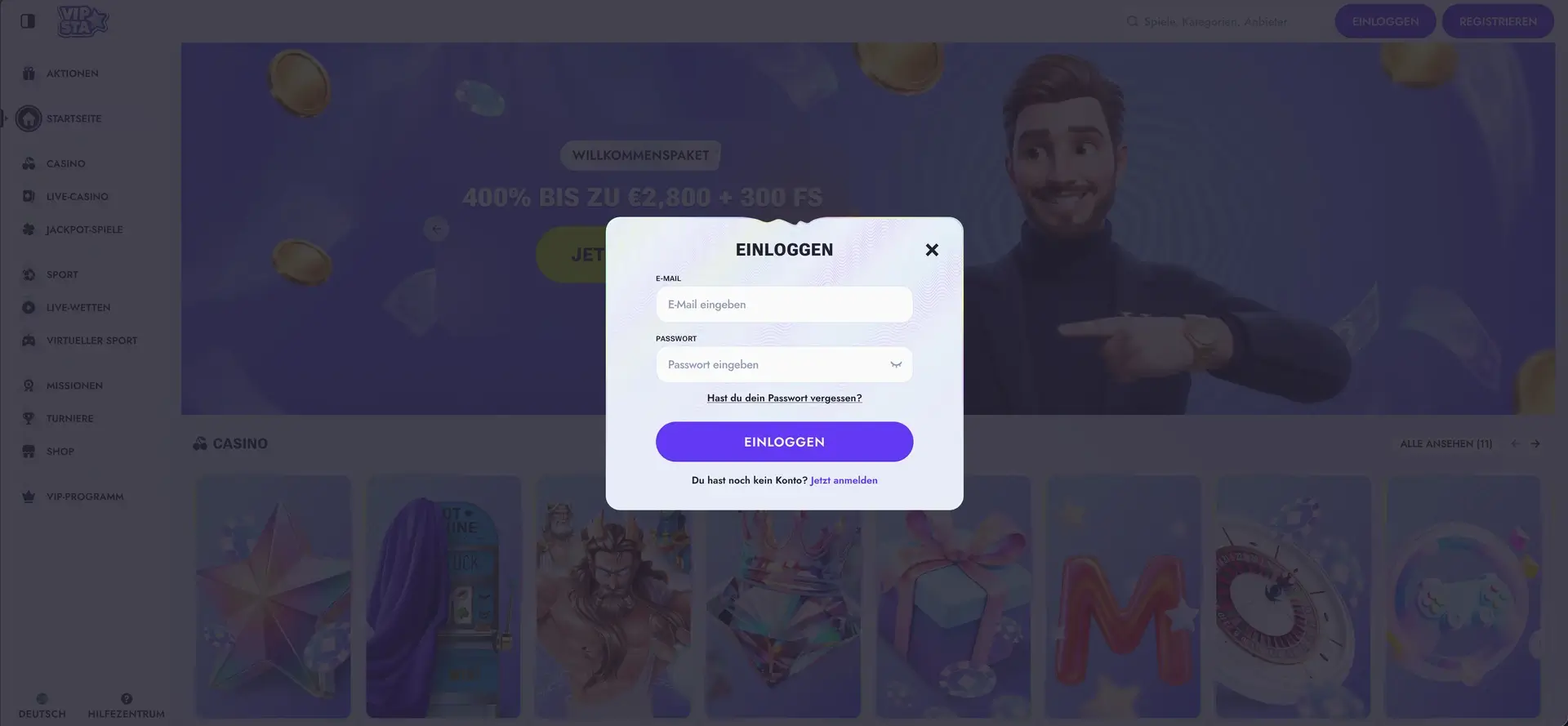
The “Vipsta login window” view illustrates the features described above.
How to Reset Your Vipsta Password
If you can no longer access your password, there is no need to register a new account. You can restore access through the password-reset function linked directly in the login window.
- In the login window, click Forgot your password?
- Enter the email address linked to your account.
- Follow the instructions in the email you receive.
- Create a new, secure password and confirm the change.
- Log in with your new credentials.
Vipsta Login on Mobile
Because Vipsta runs entirely in the browser, signing in on a smartphone works in the same way as on a computer. Smartphones and tablets use the same login window, and all account areas are available afterwards just as they are on desktop.
- Use an up-to-date browser such as Chrome, Safari, or Firefox.
- Add the website to your home screen for faster access.
- Log in using a stable internet connection to avoid timeouts.
- Only save login credentials automatically on your own secured device.
Common Vipsta Login Problems
In most cases, a failed login is caused by incorrect credentials or a browser-related issue. The sections below explain how to resolve the most common causes.
Incorrect Login Details
If the login is rejected, check the email address and password for typing errors and make sure the correct upper- and lowercase characters are used. Passwords are case-sensitive. If that does not solve the issue, reset the password using the relevant link.
Browser or Cache Issues
If the login window loads but does not respond or the session keeps ending, stored browser data may be the cause. In this case, the following steps can help:
- Clear the cache and cookies, then reload the page.
- Disable extensions that block scripts or website content.
- Try another up-to-date browser.
Account Locked or Verification Pending
If access has been restricted or verification is still pending, the account may not be fully usable again until the account review is completed. In these cases, the quickest way to clarify the issue is to contact customer support via 24/7 live chat or by email at [email protected].
What Is Available After Logging In to Vipsta
Once you are logged in, the full platform becomes available. The account area brings gaming, betting, payments, and account management together in one place.
- Casino with more than 13,600 games, including slots, table games, jackpots, and live-dealer tables.
- Sports betting with pre-match, live, and virtual betting.
- Cashier section for deposits and withdrawals in EUR.
- Bonuses, promotions, missions, tournaments, and the coin-based shop.
- VIP programme with loyalty levels and higher limits.
- Account settings and verification status.
Account Verification (KYC)
For security purposes, Vipsta may request identity verification, at the latest before the first withdrawal. This usually requires a government-issued ID document and proof of address. Completing verification early can speed up later withdrawals because the checks have already been completed.
Frequently Asked Questions About Vipsta Login
The answers below cover the most common questions about logging in to Vipsta.
How do I log in to Vipsta?
Click the “Log In” button on vipsta.com, enter your registered email address and password, and confirm. Access works in a browser on both desktop and mobile devices.
I forgot my password – what should I do?
Click “Forgot your password?” in the login window, enter the email address linked to your account, and use the link sent by email to create a new password.
Why is the Vipsta login not working?
The most common causes are incorrect login details or browser issues. Check your credentials, clear the cache and cookies, disable interfering extensions, or try another browser. If the account is locked or verification is pending, contact customer support.
Do I need an app to log in?
No. Vipsta runs entirely in the browser, so no app is required. For faster access, you can add the website to your home screen.
Do I need to verify my account?
Verification may be requested at any time and is required at the latest before the first withdrawal. This usually involves providing an ID document and proof of address.